
- Thread starter
- #1

michelmoura
Axis Member
- Joined
- Oct 14, 2026
- Messages
- 3
- Reaction score
- 0
- Points
- 1
 PLEASE READ FIRST
 This is a personal hobby project, NOT an official L2Axis tool.
If you are not a programmer, or you don't understand what the code does,
please wait for an official position from GM RockStar here in the forum before using it.
Hi everyone!
I'm Snoopdi. I've been playing L2 since the LAN-house days in Brazil, and I built a small companion panel for myself while playing on L2Axis. It turned out useful enough that I wanted to share it with the community. I do this as a hobby, with the sole intention of helping. RockStar is following the development, and the code is 100% open on GitHub so anyone can check it or contribute.
UPDATE – Crafting guide, character plan, masterworks & accessories
A big update focused on helping players reach top-tier gear:
- Step-by-step crafting guide for every top-tier item (Dynasty, Icarus, Moirai, Vesper): crafting order, full material tree and shopping list. For recipes below 100% it already counts the average number of attempts.
- Character profile: pick your race and class and the list shows only what your class uses (weapon type, heavy/light/robe, shield or sigil).
- My plan: the best items for your class in every slot and how to get each one (craft, craft + unseal, masterwork or drop).
- Dual swords & dual daggers: no recipe in High Five. The Blacksmith of Mammon / Ishuma combines two weapons with a Dualsword Craft Stamp, and the guide shows the full tree of both weapons.
- Masterworks as their own entries: the whole chain (craft until the Foundation comes out, ~167 attempts for a 1% weapon or ~42 for 4% armor, then Mammon's varnish and unseal) with the real average cost. Compare ranks weapons by an estimated real damage including the masterwork bonus.
- Gear without a recipe (Vorpal, Elegia, Vesper Noble, boss weapons, Infinity hero weapons, boss jewelry): where it drops (chance, level, area), the NPC exchanges and the sealed version it usually comes as.
- Accessories: shirts, belts, bracelets, talismans and cloaks with their bonuses (talisman slots, inventory/weight, PvP, talisman effect, duration and reuse) and where to get them.
- Item icons straight from your own game client, a bigger resizable window, real panel transparency and a text size option.
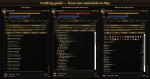
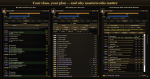
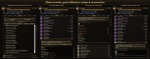
What's in the panel
It's a floating window, styled like the game's own UI, that keeps everything in one place:
- Craft — the guide described above.
- Votes — all 17 vote sites in one list, with the 4 main ones (★) highlighted. Each site gets its own 12-hour timer, the panel beeps when you can vote again, and one button opens every available site at once. Don't forget .vote afterwards!
- Bosses — respawn countdowns with the exact date and time, level, area and coordinates, filters (epics / dead / favorites), sort by level and level ranges. It beeps when a boss you're watching respawns.
- Network — live ping and packet loss to the server. Tip for South American players: my disconnects were caused by packet loss on the route to Germany, and the free Cloudflare WARP app took it from 23% to 0%.
- Clients — open, focus and arrange your game windows (respects the 4 clients per HWID rule).
- Timers for instances, raids and buffs. Available in English, Portuguese and German.
What it does NOT do: it doesn't touch the game's memory or network traffic, and it never plays for you. No botting, no automation inside the game. It never sends your account or password anywhere.
Note: the Bosses tab reads the Alt+B → Bosses page through a small client tweak that will be released once the staff approves it. Until then that tab stays empty.
Download / update: https://github.com/Michelcm/L2AxisControl (free, open source, MIT) → Code → Download ZIP, extract it inside your L2Axis folder and run install.bat. Already using it? Just replace the files.
Requires Windows 10/11 (the installer sets up Python if needed). Details are in the README.
Feedback, ideas and contributions are very welcome! And a big thank you to RockStar for keeping L2Axis alive — the panel has a little tribute to him, click the medallion in the corner.

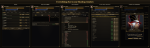
The rest of the panel:
Last edited: